A little guidance.
A better starting point.
Step-by-step background editing, useful photo workflows, and help moving from remove.bg. Plus the latest Clearcut updates.
Get 30 free credits every month with a verified account, shared across the website and API.

Now on Clearcut: 30 free credits every month and a $3 credit pack
Every verified account now gets 30 free credits each month for background removal on the website, in bulk or through the API. Need a few more? Buy 30 credits for $3.
Read more
How to remove a background from an image
Go from an ordinary photo to a usable cutout: upload, inspect the edges, and download the right file.
Read the guideHow to make a transparent PNG
Remove the background and export a file that stays transparent in slides, layouts, and other image editors.
Read the guide
How to change the background color of an image
Add a brand color, choose a neutral backdrop, or create a simple two-color gradient behind your subject.
Read the guide
How to add a white background to a photo
Create an opaque white-background image for a product, profile, document, or presentation.
Read the guide
How to create consistent product photo backgrounds
Build a repeatable product-photo workflow with a clean background, balanced spacing, and useful exports.
Read the guide
How to change the background of a profile picture
Give an existing portrait a simple background and a crop that works at profile-picture size.
Read the guide
How to clean up a car listing background
Reduce distractions around a vehicle while keeping its condition, shape, and details visible.
Read the guide
How to make a pet photo cutout
Prepare an animal photo for a portrait, poster, or collage while checking fur and fine edges.
Read the guide
How to turn a cutout into a social media image
Combine a product cutout, a brand color, and a short message in one reusable composition.
Read the guide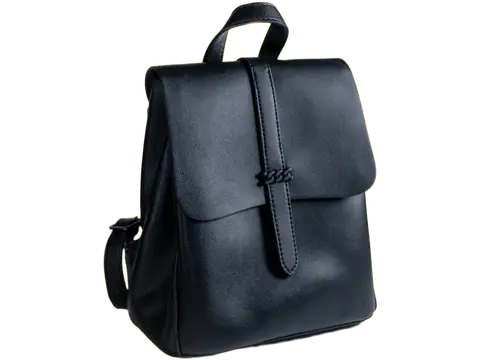
How to remove backgrounds from multiple images
Process a set of images, apply a shared look, and download the finished files together.
Read the guide
How to create a background with a custom AI prompt
Describe the setting you want, match it to the subject, and review the composition before exporting.
Read the guide
How to erase and restore the edges of a cutout
Use manual brushing for precise corrections and Smart Brush for a detected object or part.
Read the guideMoving from remove.bg to Clearcut: keep the workflow you know
A practical move for people who upload an image, tidy the cutout and get back to work. Here is what carries over—and what needs a fresh start.
Read the guideHow to migrate a remove.bg API integration to Clearcut
Keep the familiar multipart request, then account for the differences that matter: keys, parameters, credits, asynchronous responses and retries.
Read the guideBackground removal pricing: what your credits actually buy
Compare the free allowances, understand the entry-plan price difference, and budget for Fast, Fine detail and optional AI edits without hiding the tradeoffs.
Read the guideOne product photo, three useful versions—with one cutout
Build a transparent asset, a clean catalog image and a social layout from one removal. A practical Clearcut workflow for a small product catalog.
Read the guide