
Turn on Sticker outline in Effects, choose a matching color from your photo, then copy the result straight into your board or design. All three tools are free.
Three new tools for cutouts
Many cutouts end up on a mood board, in a social post or as a sticker. This release adds three editor tools for that. They use no credits, on the free allowance or a plan.
- Sticker outline puts a solid edge around your subject.
- Colors from your photo suggests backgrounds and outline colors that match your subject.
- Copy image puts your finished edit on the clipboard, ready to paste into another app.
Sticker outline
Open Effects and turn on Sticker outline. Drag the thickness slider, then pick white, black, one of your photo’s colors or any custom color. The outline follows the shape of your cutout. Narrow gaps, such as between leaves, fill in, as on a real sticker.
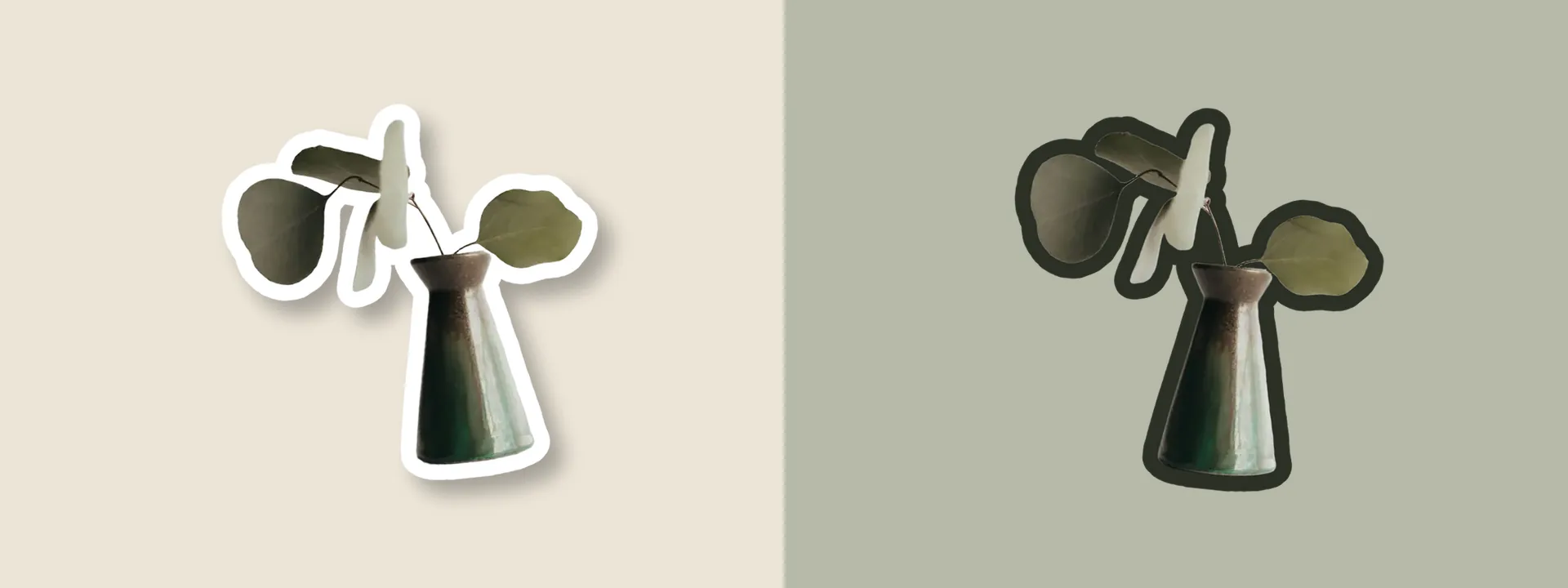
The outline moves with your edits. It rotates, flips and resizes with the subject, and shadows fall from the outline’s edge, so the sticker looks like one piece. Thickness is measured relative to your image, so the outline looks the same in the editor and in the full-resolution download.
Colors from your photo
Under Background → Color, a new From your photo row shows up to six colors from your cutout. Tap one to use it as the background. Four of them also appear as outline colors in Effects.
The colors come from your subject, not the background it was photographed on. A product shot on white still gives you the product’s colors. Copy colors puts their hex codes on your clipboard, for a mood board or a brand palette.
Copy image
On a computer, use the copy button next to Download, or press Ctrl+C (⌘C on a Mac). On a phone, open Download and choose Copy image. Then paste into your board, slides, chat or design.
Copy image puts a PNG of up to 2048 pixels on your clipboard, which is plenty for boards and screens. Transparent areas stay transparent, though some apps place pasted images on white. For the full-resolution file, use Download.
Free, with your files handled as before
The outline and colors are worked out in your browser while you edit, so changes appear straight away. Downloads are rendered at full resolution on our servers, like every other edit, and your files still expire after 60 minutes. None of these tools use credits.
For developers
Exports through the API accept two new editor settings: outline, from 0 to 40 thousandths of the cutout’s longer side, and outlineColor, a hex color. See the API reference. The full list of changes is in the changelog.
Start with your next image.
Create an account and verify your email to get 30 free credits every month: enough for 30 Fast images or 15 Fine images. Use them on the website or through the API.